Commerce OS / Guides / Sell on Instagram and WhatsApp
Guide · Selling online

Selling on Instagram and WhatsApp? Put your own store behind it.

A lot of Indian brands start in DMs: a reel gets attention, people message "price?", and orders get taken in chats with UPI screenshots and addresses typed out by hand. It works until it doesn't. Here's how to keep Instagram and WhatsApp as your shop window while a proper store handles the orders.

When DM selling starts to break

None of this means leaving Instagram or WhatsApp. It means the order itself should happen somewhere built for orders.

How the setup works

From Instagram and WhatsApp to your own store and back Instagram reels, posts and WhatsApp status bring people to a product link. They check out on your store with UPI or COD. The order is confirmed on WhatsApp, shipped with updates, and a reorder reminder goes out when they're likely to run out. Instagram reel / postor WhatsApp status Link in bio orproduct link in chat Your store checkoutUPI, cards or COD WhatsApp confirmationCOD confirmed first Shipped, out fordelivery, delivered Reorder reminderwhen they're due again …and the reminder brings them back to the store link, without another round of DMs.
Instagram and WhatsApp bring people in; the store takes the order; WhatsApp keeps them informed and brings them back.

Setting it up, step by step

  1. Put your best sellers on the store first. Ten good products with clear photos beat a full catalogue that takes a month.
  2. Make every product shareable. Each product needs its own link that opens fast on a phone and shows price, sizes and delivery for the buyer's pincode.
  3. Change the link in your Instagram bio to your store, or to a collection page for your current launch.
  4. Reply to "price?" with the product link. Save it as a quick reply in the WhatsApp Business app so it takes one tap.
  5. Keep COD, but confirm it. Many first-time buyers from Instagram want COD. Confirm those orders on WhatsApp before you ship.
  6. Keep the chat open. Buyers will still message with questions. Answer them like before; the difference is the order no longer lives in the chat.
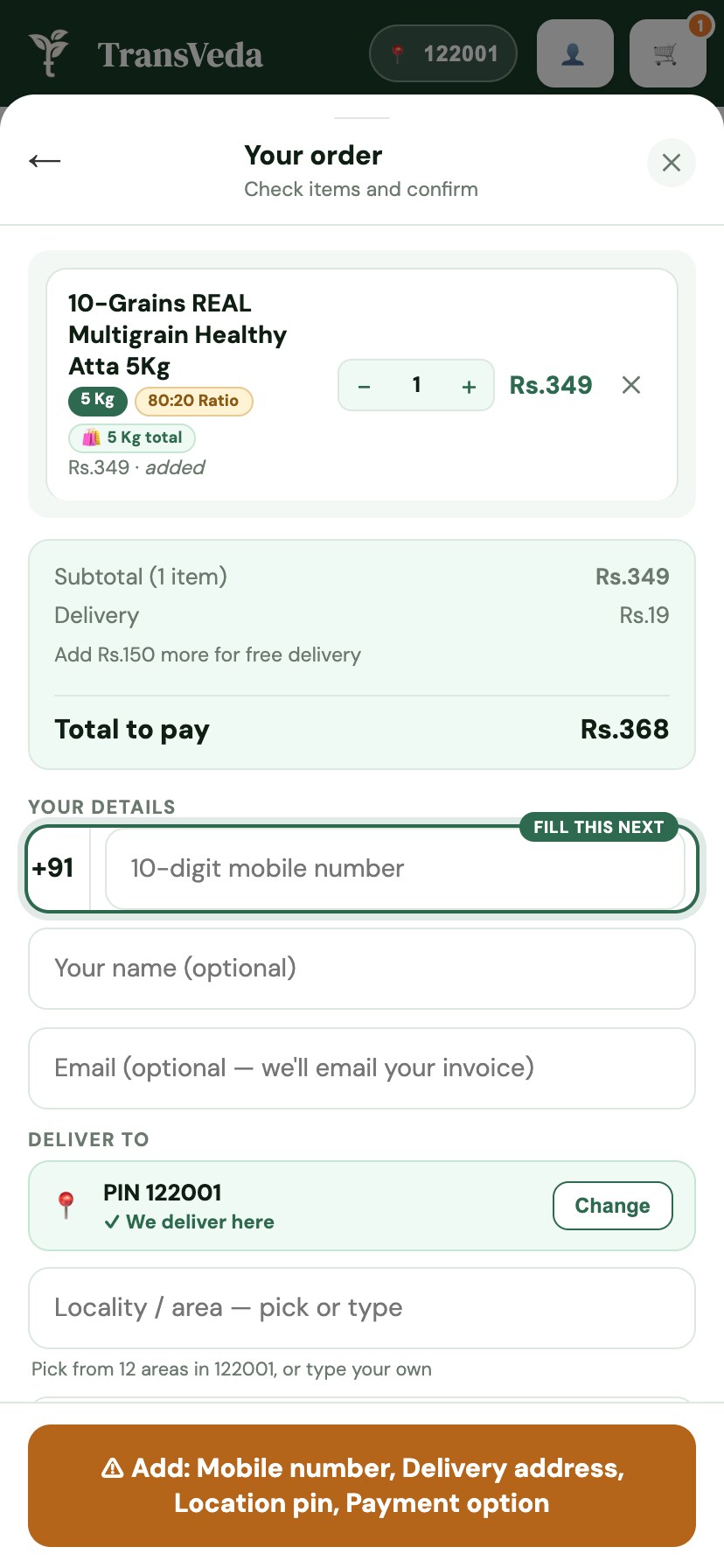
Four-field checkout on a phone
A short checkout matters most for buyers coming from Instagram on their phones.

WhatsApp updates and reorders

Once orders come through the store, updates can go out automatically: order confirmed, shipped, out for delivery, delivered. Indian buyers read WhatsApp far more than email, so this alone cuts "where is my order?" messages noticeably. Automatic messages use the WhatsApp Business API through your platform, and Meta charges per template message.

The bigger win is reorders. If you sell anything that runs out (food, skincare, supplements, pet supplies), a reminder around when each customer is likely to run out brings them back without another ad.

Orders, delivery and money in one place on D2 Commerce OS.

Doing it on D2 Commerce OS

We set up your store with shareable product links, UPI and COD checkout, WhatsApp confirmations and delivery updates, and reorder reminders, all on one platform. It's free forever up to 100 orders a month, which covers most brands moving off DMs, and our team does the setup.

Questions

Questions from DM and WhatsApp sellers.

Do I need a website if I already sell on Instagram?

You can sell without one, but past a few orders a day, taking orders in DMs gets slow and error-prone. A store lets buyers order and pay on their own, at any hour, while you keep using Instagram to bring them in.

How do I take orders from WhatsApp on my website?

Share product links from your store in WhatsApp chats and status. The buyer checks out on the store with UPI or COD, and the order arrives with the address and payment already captured, so there's nothing to copy across.

Can I still offer cash on delivery?

Yes. COD works on your own store just as it does in chats. Confirm COD orders on WhatsApp before you ship to cut down on parcels that come back.

What's the difference between the WhatsApp Business app and the API?

The free Business app is for chatting by hand from one phone. The Business API, used through a platform, sends automatic messages such as order confirmations and delivery updates. Meta charges for those template messages.

Will customers lose the personal touch?

Not if you keep replying to them. The store handles the order and payment; you still answer questions, share new launches and handle the odd special request on WhatsApp.

The rest of the layer
Talk to us

Your store, set up free. Start with your number.

Start free.
We set it up.

Leave your number and we'll take it from there — your store, your catalogue, your delivery setup, done by our team.

  • We set up your store and move your catalogue — no charge
  • Free forever up to 100 orders a month, then ₹6–₹10 per order
  • Want to see it first? A walkthrough on your own products
  • No plugins to buy, no developer, no lock-in
Free setupNo card needed

Leave your number — we do the rest

  1. 1Your number
  2. 2A few details optional

Takes 10 seconds · we reply within a working day

+91
We'll call or WhatsApp you once to get you started. No spam, no obligation. Privacy policy.

Instagram and WhatsApp are trademarks of Meta Platforms, Inc.

Chat on WhatsApp